
Understanding Mailivery Health Dashboard
Introducing Mailivery’s new health check feature to help monitor and improve your mailbox' performance and deliverability.

Lauren Gilbert
Last Update 13 days ago
Welcome to Mailivery's health check feature! This tool is designed to help you monitor and improve your mailbox's performance and deliverability. Maintaining a healthy mailbox is crucial for ensuring your messages reach their intended recipients and avoid the dreaded spam folder.
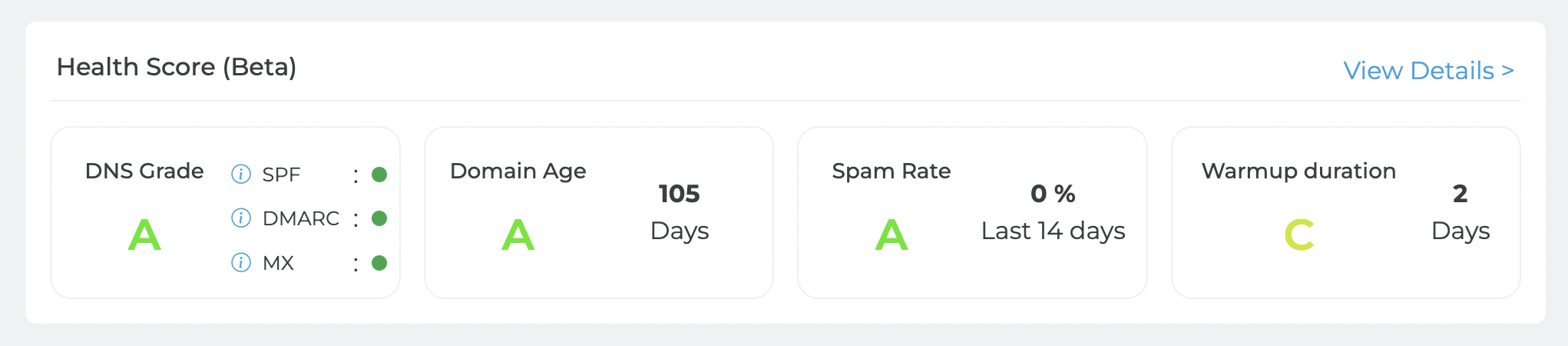
When you open your connected mailbox's dashboard, you'll notice the "Health Score" section prominently displayed above your warm-up reports. This article will guide you through understanding and optimizing your Health Score.
What is a Health Score?
Your Health Score is built from four checks on your mailbox: spam rate, DNS records, domain age, and warm-up duration. Each check has its own grade, and together they make up an overall Health Score from 0 to 100. Keeping these high helps your emails land in the main inbox rather than spam or promotions folders.
Your overall Health Score is a whole number from 0 to 100, where higher is healthier. It combines the four checks below, weighted by how much each one affects deliverability:
- Spam rate: 50%
- DNS records: 30%
- Domain age: 15%
- Warmup duration: 5%
The overall Health Score is currently available through the Mailivery API: see Get Health Score Points.
Components of the Health Score:
Spam Rate
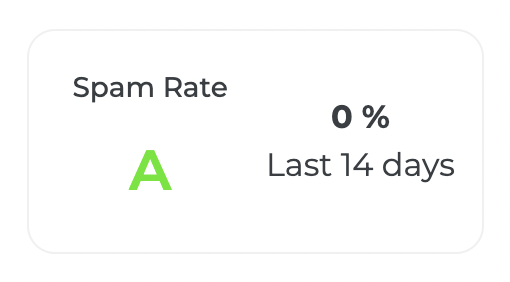
This is the share of your mailbox's warm-up emails and replies from the last 14 days that landed in spam, giving you insight into your inbox placement. As a P2P network, Mailivery is connected to these other mailboxes and can, therefore, see if your emails land in spam or promotions. Spam rate carries the most weight in your overall Health Score.
Spam Rate Scoring:
Grade A = Excellent! (less than 2%)
Grade B = Nice, but could be better (2% to 4%)
Grade C = Needs improvement (4.01% to 6%)
Grade D = High spam rate (6.01% to 15%)
Grade F = Very high spam rate (above 15%)
These updated spam rate grades are coming to your dashboard soon. Until then, the Spam Rate card on your dashboard may show a different grade for the same spam rate.
If your warm-up emails land in spam, Mailivery takes them out of spam, marks them as trusted, and responds back to your mailboxes. This action helps train spam filters to recognize your sending behavior as natural and trustworthy.
DNS Grade
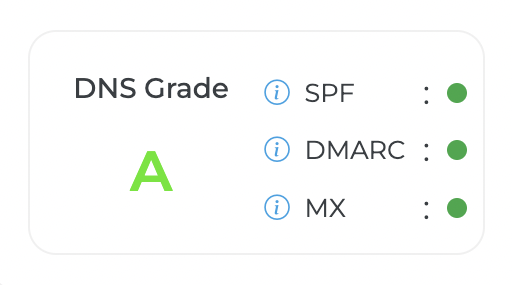
Your DNS Grade is based on your sending domain's SPF, DMARC, and MX records. Having the proper email infrastructure in place helps lay down a solid foundation for improving email deliverability. DKIM isn't part of this grade.
DNS Grade Scoring:
Grade A = SPF, DMARC, and MX are all valid
Grade C = SPF and MX are valid, but DMARC is missing or invalid
Grade D = SPF or MX is missing or invalid, but at least one of the three records is valid
Grade F = SPF, DMARC, and MX are all missing or invalid
In your overall Health Score, each missing or invalid record lowers the DNS part of the score.
If you see "No record found", your domain's records haven't been checked yet. If it stays that way, please contact our support team.
Domain Age
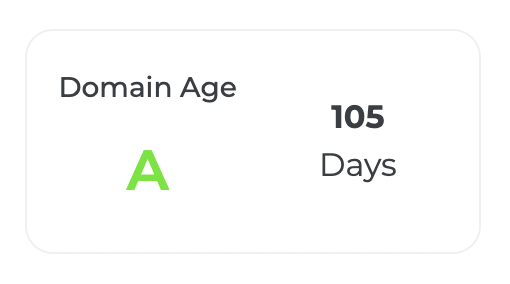
This calculates your connected campaign’s domain age and gives recommendations on when the best time would be to launch external email campaigns for optimal deliverability and performance.
Domain Age Scoring:
- Grade A = Meets recommended 30-day aging period (30+ days)
- Grade B = Meets minimum 14-day aging period (14-29 days)
- Grade C = Needs more time to age (7-13 days)
- Grade D = Domain needs to age longer (less than 7 days)
Warmup Duration
Your warmup duration grade is based on how many days your connected mailbox has been actively warming up on Mailivery. Days when warm-up is paused don't count. This helps give you a better understanding of how far along you are in the warmup process and when would be the optimal time to launch your external campaigns.
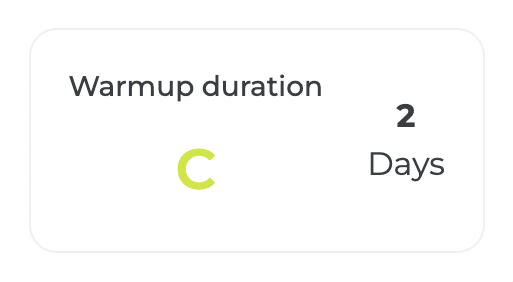
- Grade A = Excellent! (30+ days)
- Grade B+ = Good! (16-29 days)
- Grade B = Good Start! (8-15 days)
- Grade C = Warm-up duration is low (0-7 days)
Tips for Improving Your Health Score
If your Health Score is lower than desired, consider the following steps:
- Work on reducing your spam rate by improving email content and targeting
- Ensure all DNS records are properly set up
- Allow sufficient time for domain aging before launching campaigns
- Continue the warm-up process for the recommended duration
Each mailbox receives its own grade for each health check. Use these as references when troubleshooting. Mailivery provides recommendations for necessary actions to improve or maintain your current standing based on your grades.
Maintaining a good Health Score is essential for optimal email deliverability and performance. By regularly monitoring and acting on your Health Score insights, you can ensure your emails reach their intended recipients and maintain a strong sender reputation.
If you have additional questions or encounter any errors, please contact Mailivery support through our live chat.